A blog builder for Shopify

Paste an article.
Publish a shoppable blog.

Journal Studio turns articles from Google Docs, Word or another blog into polished Shopify blog posts, with product cards readers can buy from, in minutes.

Coming soon to the Shopify App Store
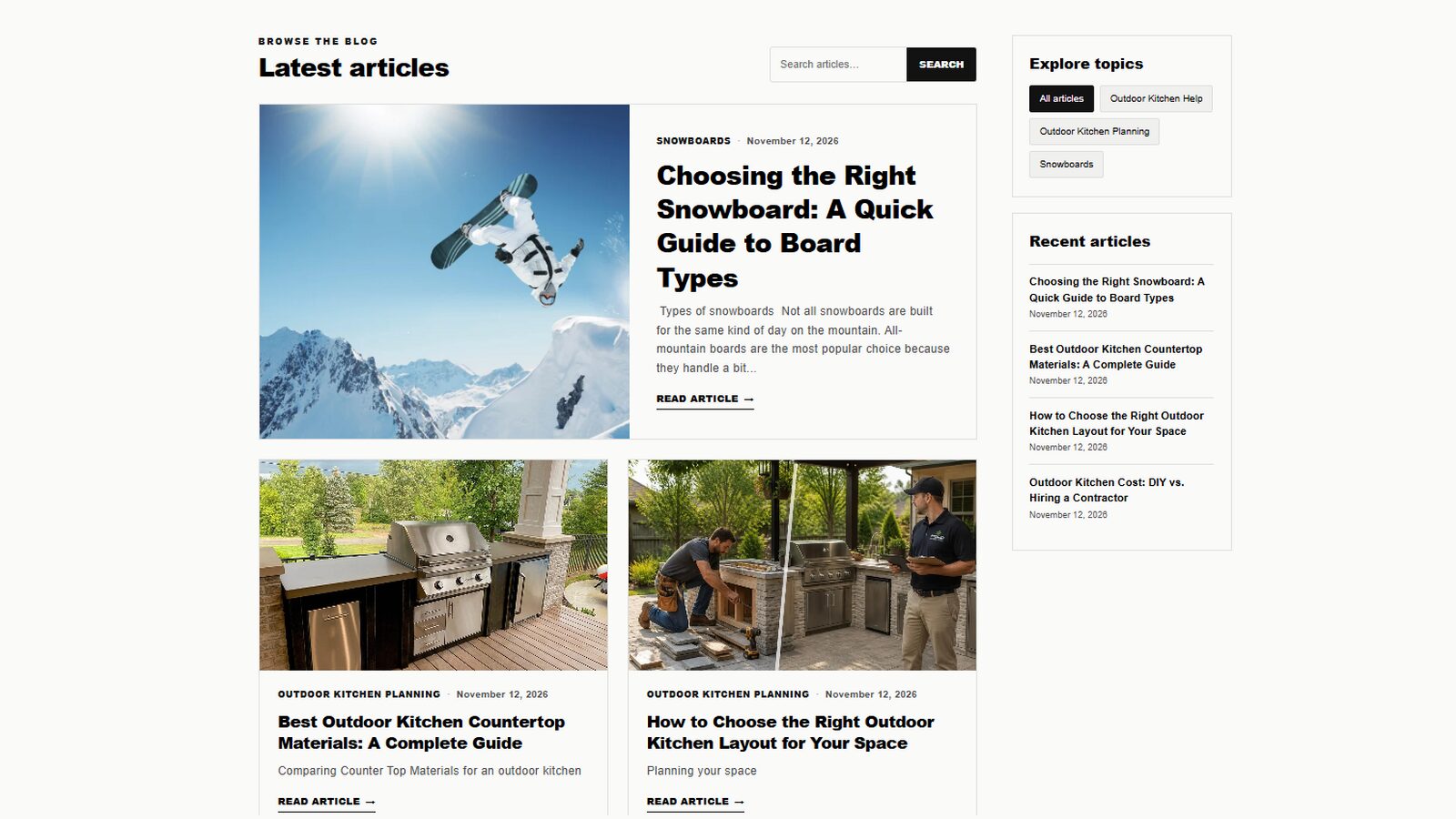
A Shopify blog page made with Journal Studio, with a featured article, article cards, topic filters and recent articles
No code needed Uses your theme's fonts Regular Shopify blog posts 14-day free trial
Features

Everything a store blog needs, nothing it doesn't

Write where you already write. Journal Studio handles the formatting, the layout and the selling.

Paste whole articles

Bring in a full article from Google Docs, Word or another blog. Headings, lists, tables, links and pictures come across intact.

Automatic table of contents

Every post gets an "In this article" list built from its headings, plus reading time and related articles.

Shoppable product cards

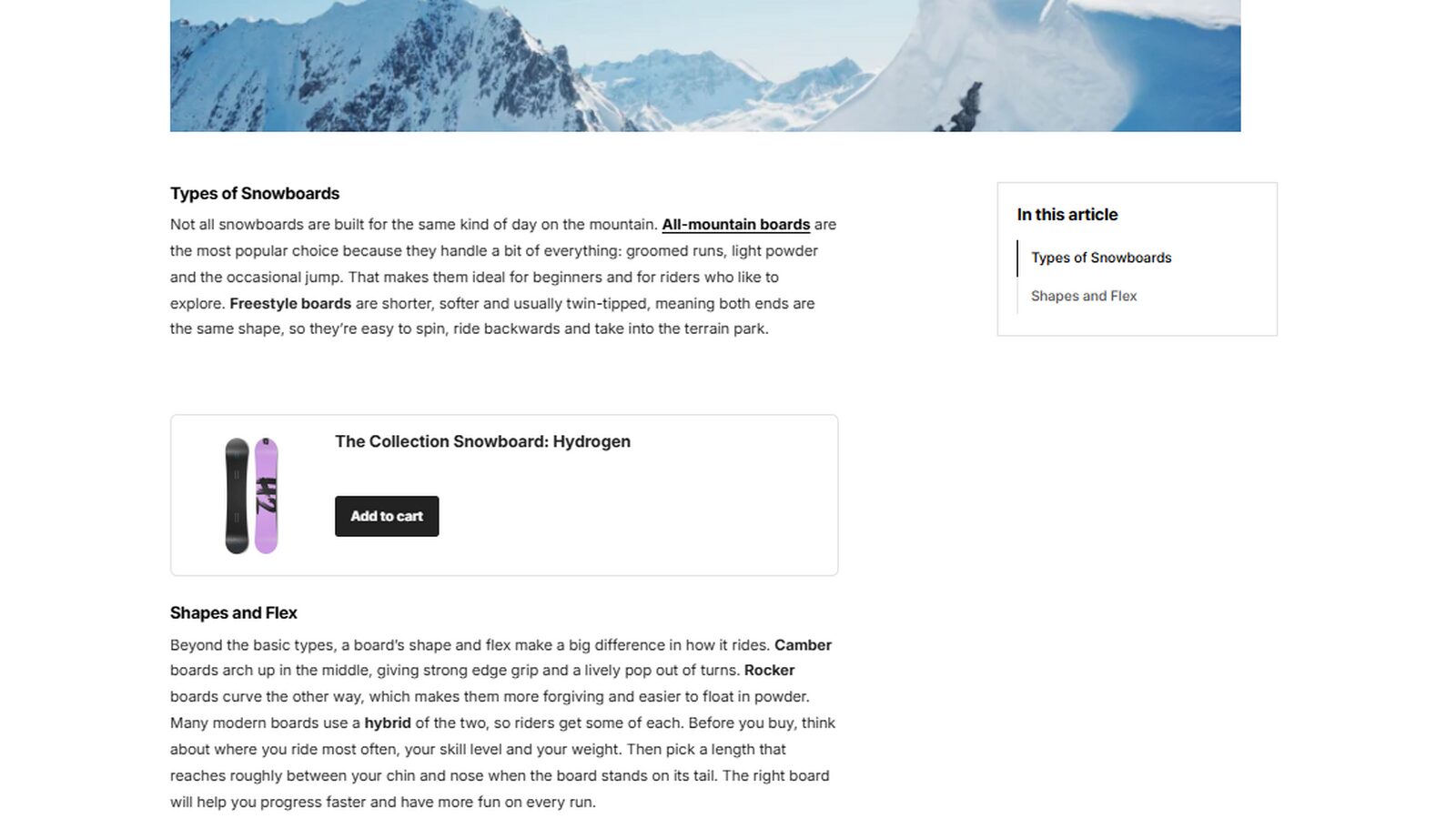
Drop any product into an article. Readers see its picture, choose options and add it to their cart without leaving the post.

Picture tools

Click any picture to resize it, move it left or right with text wrapping around it, or add a caption. Pasted pictures are saved to your store's Files.

Videos and HTML blocks

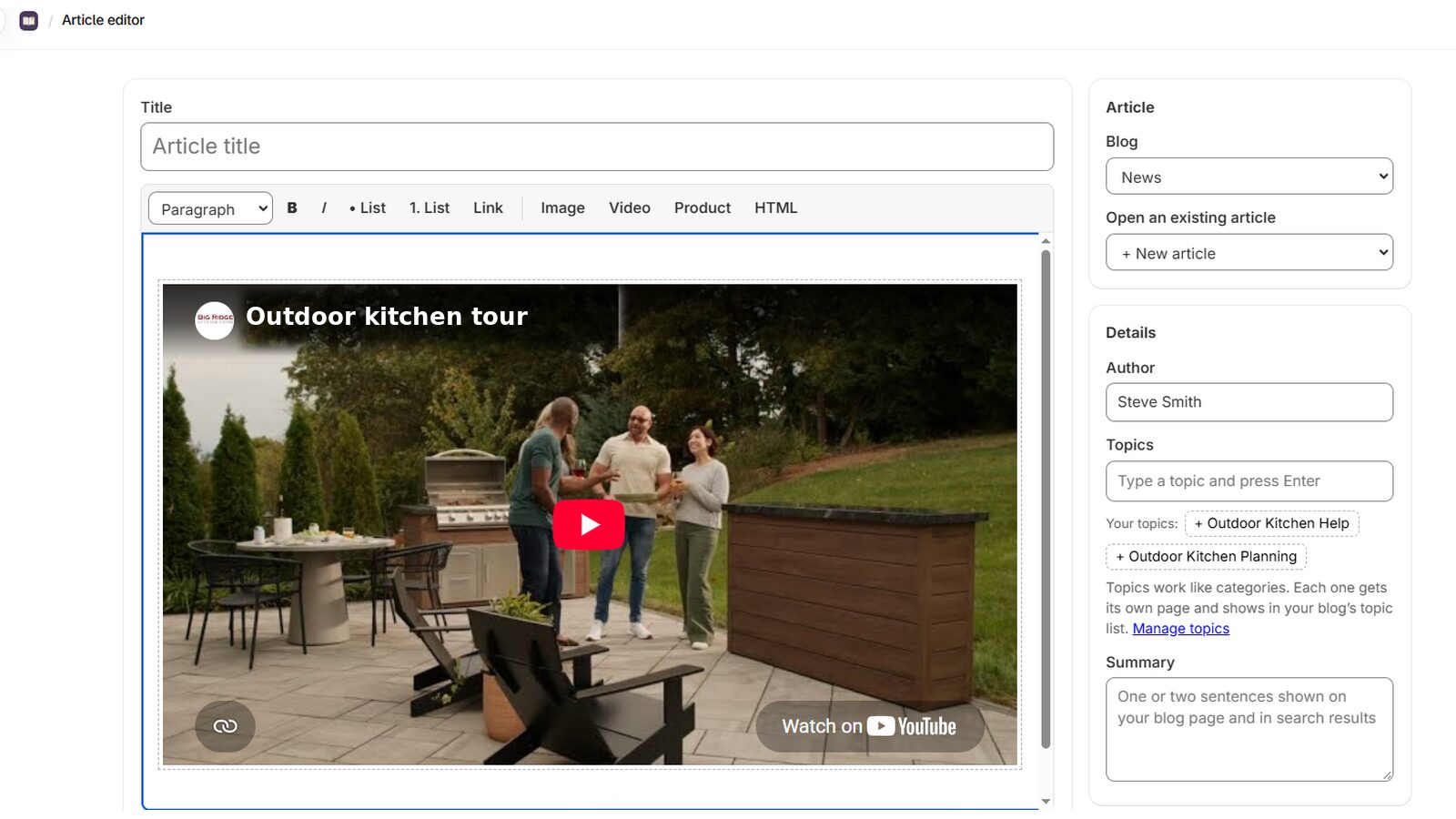
Add YouTube or Vimeo videos, upload your own, or paste a custom HTML block for anything else.

Magazine-style design

A clean blog page with search, topics and a featured post. It uses your theme's fonts and can match your theme's colors.

The editor

Write in Docs. Publish in Shopify.

Paste a finished article and it's ready. No retyping, no fixing broken spacing, no hunting for pictures.

  • Headings, bold text, lists and links stay as you wrote them
  • Topics, author and summary in one simple panel
  • Save a draft or publish as a regular Shopify blog post
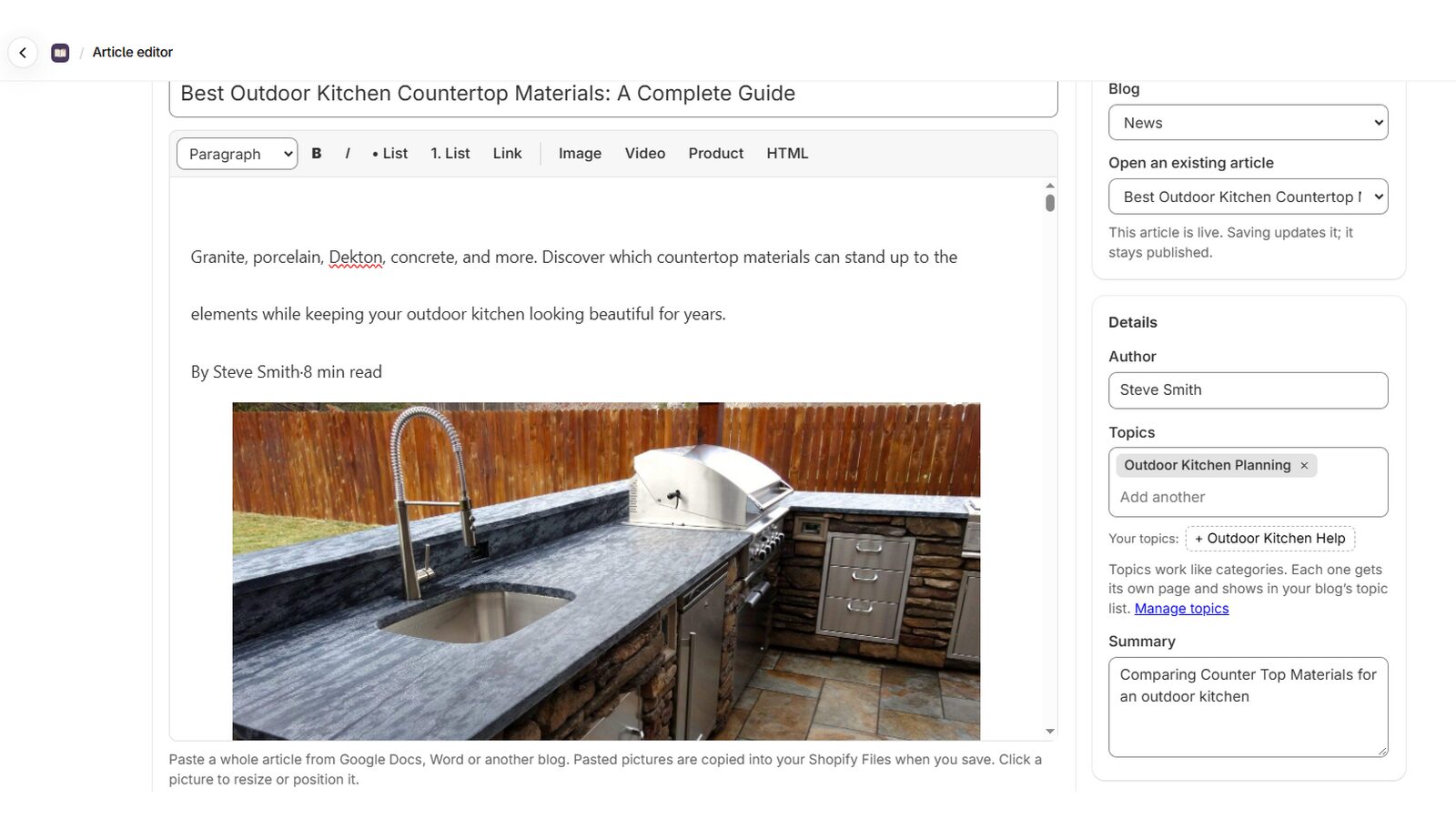
The Journal Studio article editor with a pasted article, toolbar and topics panel
Articles that sell

Turn readers into customers

Put the products you're writing about right inside the story, where readers are already interested.

  • Product cards with options and an Add to cart button
  • "In this article" list that follows readers as they scroll
  • Related articles keep people reading
An article page with an In this article list and a shoppable product card
Rich media

Show it, don't just tell it

Videos and pictures make a post worth reading. Add them in a click and they look right on phones too.

  • YouTube, Vimeo or your own uploaded videos
  • Resize and wrap pictures, with captions
  • Custom HTML blocks for anything else
A video added to an article in the Journal Studio editor
How it works

Set up in a few minutes

A guided setup adds the design to your theme and checks each step off as you go.

Install and choose a look

Start your free trial, then pick the Journal Studio design or keep your theme's own blog design.

Add it to your theme

One click opens your theme editor with the blog sections ready. Save, and the setup screen shows a check mark.

Paste and publish

Paste your first article, add pictures, videos and products, and publish it to your blog.

No lock-in

Your blog stays yours

Journal Studio publishes standard Shopify blog posts. There's no separate hosting and nothing hidden away in an app.

Real Shopify posts

Articles live in your store's blog, so they work with Shopify search, your sitemap and your theme.

Pictures in your Files

Pictures you paste are copied into your store's Shopify Files, so they don't depend on another website.

Keep everything if you leave

If you ever uninstall, your articles and pictures stay in your store.

Pricing

One plan. Every feature.

Try everything free for 14 days, then pay monthly or save with a yearly plan.

$19.99/ month
 
  • Unlimited articles
  • Paste from Google Docs, Word or other blogs
  • Automatic table of contents and reading time
  • Shoppable product cards
  • Picture tools, videos and HTML blocks
  • Magazine-style blog design and topics
  • Email support
Start your 14-day free trial

Billed through Shopify. Cancel anytime from your Shopify admin.

FAQ

Questions, answered

Does it work with my theme?

Journal Studio works with Online Store 2.0 themes, which includes Shopify's free themes such as Horizon and Dawn and most themes sold today. The setup screen tells you if your theme can't use the Journal Studio design.

Do I need to know any code?

No. You paste or type your article, click to add pictures, videos and products, and publish. The setup adds the design to your theme for you, and you just click Save.

Can I paste from Google Docs or Word?

Yes. Paste a whole article and the headings, lists, tables, links and pictures come across. Journal Studio also removes stray formatting so your headings and text look consistent.

What happens to my articles if I uninstall?

They stay in your store. Journal Studio publishes regular Shopify blog posts and saves pasted pictures to your Shopify Files. The Journal Studio design is removed with the app, so you'd switch your theme's own blog section back on.

Can I keep my theme's blog design?

Yes. During setup you can choose to keep your theme's design and still use the editor, product cards, videos and picture tools.

How does billing work?

The plan is billed through your Shopify invoice, at $19.99 a month or $199.99 a year, after a 14-day free trial. You can cancel anytime by uninstalling the app.

Give your blog the attention it deserves

Paste your next article and publish a post that looks great and sells, in minutes.

Start your 14-day free trial
Coming soon to the Shopify App Store